
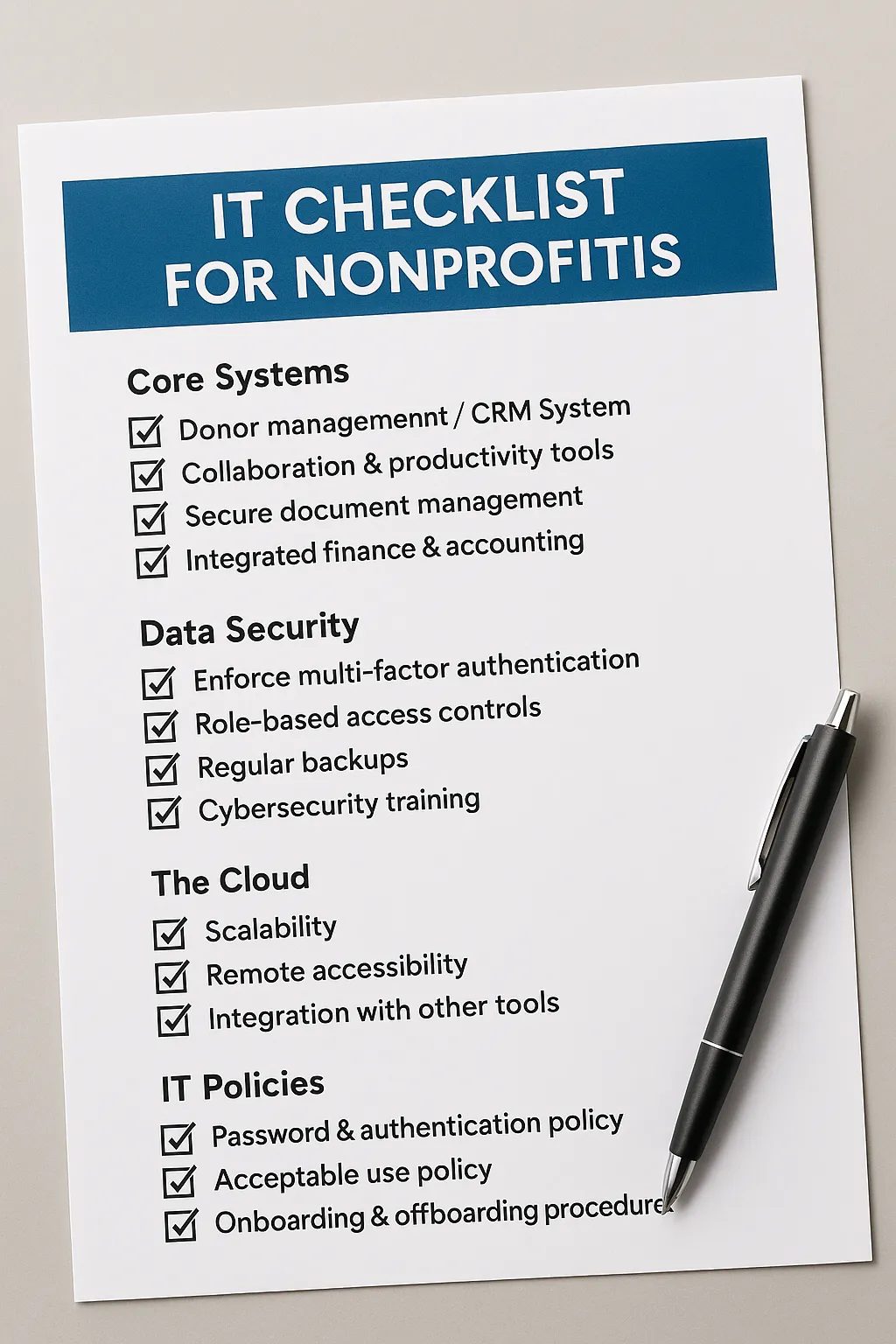
The Essential IT Checklist for Nonprofits: Build a Strong Tech Foundation for Growth
Running a nonprofit is all about making an impact, but without the right technology in place, even the most passionate team can struggle to grow and serve their community effectively. That’s why we’ve pulled together an essential IT checklist for nonprofits. It’sa roadmap that helps leaders strengthen operations, protect donor trust, and scale with confidence.
At All in IT, we’ve worked alongside nonprofits of every size. We’ve seen the roadblocks they face, such as fragmented systems, outdated tools, and little to no security protocols. The good news? With the right IT strategy, nonprofits can flip the script and use technology as a mission enabler instead of a roadblock.
Common IT Gaps Holding Nonprofits Back
Nonprofits are often resourceful, but being “scrappy” with IT can lead to long-term headaches. The biggest pitfalls usually fall into three categories:
Fragmented systems: Donor data in one place, finances in another, operations tracked in spreadsheets. Without integration, it’s tough to make strategic, big-picture decisions.
Underinvestment in infrastructure: Relying on aging hardware and free tools that aren’t designed to scale.
Weak security practices: No multi-factor authentication (MFA), poor password habits, and minimal backup, which leave the organization vulnerable.
Sound familiar? If so, you’re not alone, and you’re definitely not stuck. That’s where a thoughtful IT checklist comes in.
Core Systems Every Nonprofit Needs
If your team is still managing donor lists in Excel or passing around files over email, it’s time to upgrade. A modern nonprofit should have:
1. Donor Management / CRM System
Excel isn’t built to run your mission. A true CRM centralizes donor records, giving staff and board members one source of truth.
2. Collaboration & Productivity Tools
Platforms like Microsoft 365 or Google Workspace are affordable (often free) for nonprofits. They enable secure email, shared calendars, video conferencing, and document collaboration.
3. Secure Document Management & File Sharing
No more “only one person knows the process.” Cloud-based systems ensure that knowledge isn’t locked in someone’s head.
4. Integrated Finance & Accounting Software
Tools like QuickBooks Online (with nonprofit-specific add-ons) make it easier to connect fundraising, expenses, and reporting.
Data Security is a Non-Negotiable
Donor trust is everything. A single data breach can jeopardize your reputation and your funding. Security isn’t just an IT concern; it’s an organizational responsibility.
Your IT checklist for nonprofits should include:
Enforcing MFA across all accounts.
Using role-based permissions and least-privilege access.
Regularly backing up data and testing recovery.
Training staff and volunteers on cybersecurity awareness
Think of data security as the digital equivalent of locking the front door of your nonprofit office. It’s not optional.
Why the Cloud Belongs on Your Checklist
The cloud isn’t just a buzzword; it’s a nonprofit game-changer. Here’s why:
Scalability: Scale storage and computing power up or down as your organization grows, without heavy upfront costs.
Accessibility: Staff and volunteers can securely access what they need from anywhere.
Integration: Cloud platforms make it easier to connect donor, finance, and communication tools.
At All in IT, we even built our own private cloud for nonprofits. It’s designed with redundancy, security, and cost-effectiveness in mind, so nonprofits can focus on their mission while we handle the tech.
IT Policies That Protect Your Organization
Technology isn’t just about tools; it’s about people and processes. That’s why policies should be on your nonprofit IT checklist. You should start with:
Password & Authentication Policy: Encourage passphrases instead of simple passwords and require MFA.
Acceptable Use Policy: Define how staff and volunteers can use devices, share data, and represent the organization online.
Onboarding & Offboarding Procedures: Ensure access is granted (and revoked) securely as people join or leave your nonprofit.
Getting these right early protects you from unnecessary risk.
Your Investment
Nonprofits often skip IT documentation until it’s too late. Documenting processes, vendor contacts, system diagrams, and even login details saves massive time (and stress) later. It reduces downtime, improves training, and makes transitions between staff seamless.
If donor data and finances are the lifeblood of a nonprofit, then IT documentation is the backbone.
Treat IT as a Mission Enabler
The bottom line? IT isn’t overhead, it’s part of your mission. When nonprofits invest in secure, integrated systems, they aren’t just buying software. They’re building trust with donors, supporting staff efficiency, and laying the foundation for growth.
At All in IT, we help nonprofits design IT roadmaps that align technology with organizational goals, just like a fundraising plan. Review it annually, assign ownership, and connect IT decisions to donor trust and program impact.
Your Next Step
If your nonprofit has been putting IT on the back burner, now’s the time to change that. Use this IT checklist for nonprofits as your starting point to:
Identify gaps.
Prioritize security.
Implement scalable systems.
Build policies and documentation that set your nonprofit up for long-term success. At the end of the day, strong IT isn’t about technology; it’s about empowering your mission.
Don’t leave your nonprofit’s growth to chance. At All in IT, we believe technology should empower your mission, not hold it back. That’s why we’re offering a complimentary IT assessment to help you uncover gaps, prioritize security, and build a roadmap that scales with your organization.
Contact us today for a free assessment and take the first step toward a stronger, smarter IT strategy.